
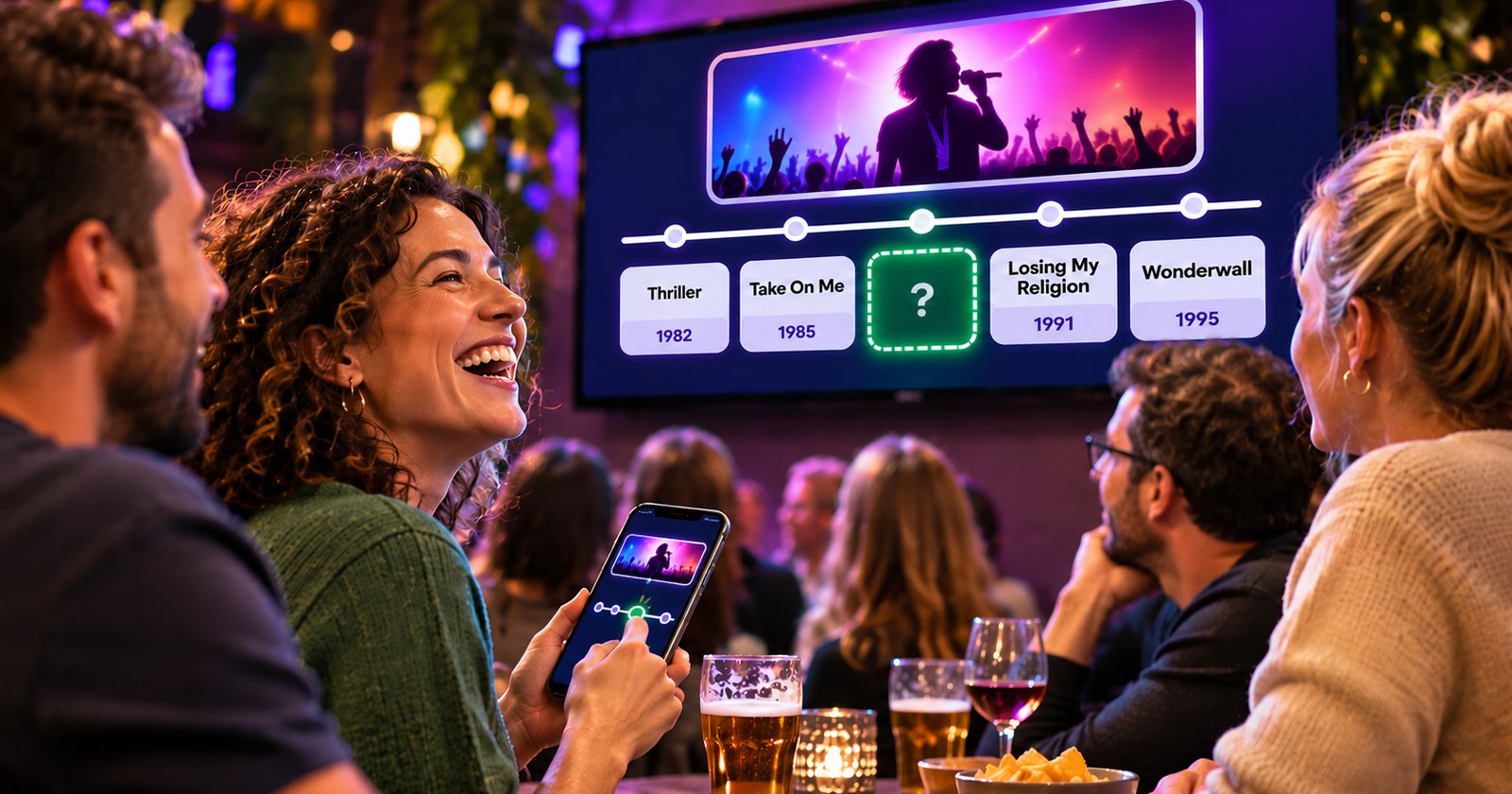
When was that song released? Did the moon landing happen before or after the fall of the Berlin Wall? And was the first iPhone introduced before or after the first episode of The Simpsons?
These questions sound simple enough. Until you have to put the dates in the right order.
With Timeline rounds, you can turn your quiz into a chronological challenge. Players place songs, films, inventions and historical events in the right order, building a timeline one card at a time.
It's a familiar game concept. If you've played Hitster, you'll recognise the idea of putting songs in chronological order. But QuizLinq brings this type of challenge to the whole room. Everyone plays along on their phones, picks where each new card belongs, and watches the timeline take shape on the Quiz Display.
How do Timeline rounds work?
Every Timeline round starts with a single card on the timeline. This is your starting point: a song, film, event or anything else with a year attached to it.
The quizmaster then presents a new card. Its year is hidden, and players have to work out where it belongs relative to the cards already on the timeline.
Is it older than everything else? Does it belong somewhere in the middle? Or is it the most recent event?
1. Listen, look and make your guess
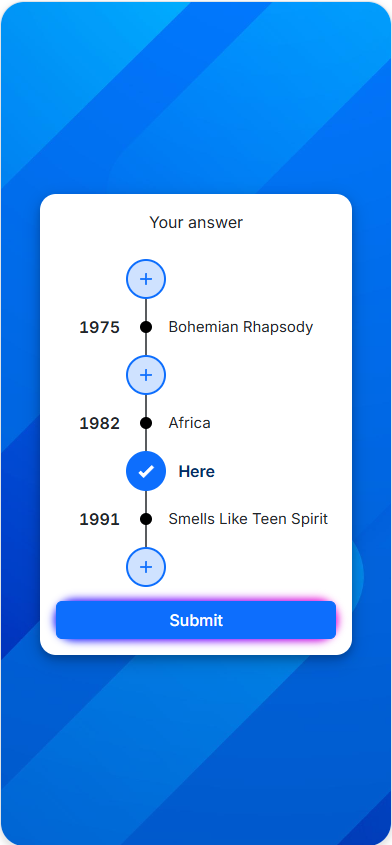
Players see the timeline on their phones, with the years of the existing cards visible. They select the gap where they think the new card belongs.
As the quizmaster presents the question, everyone makes their own decision. No need to shout out answers or wait for someone else to have a turn.
2. See how everyone voted
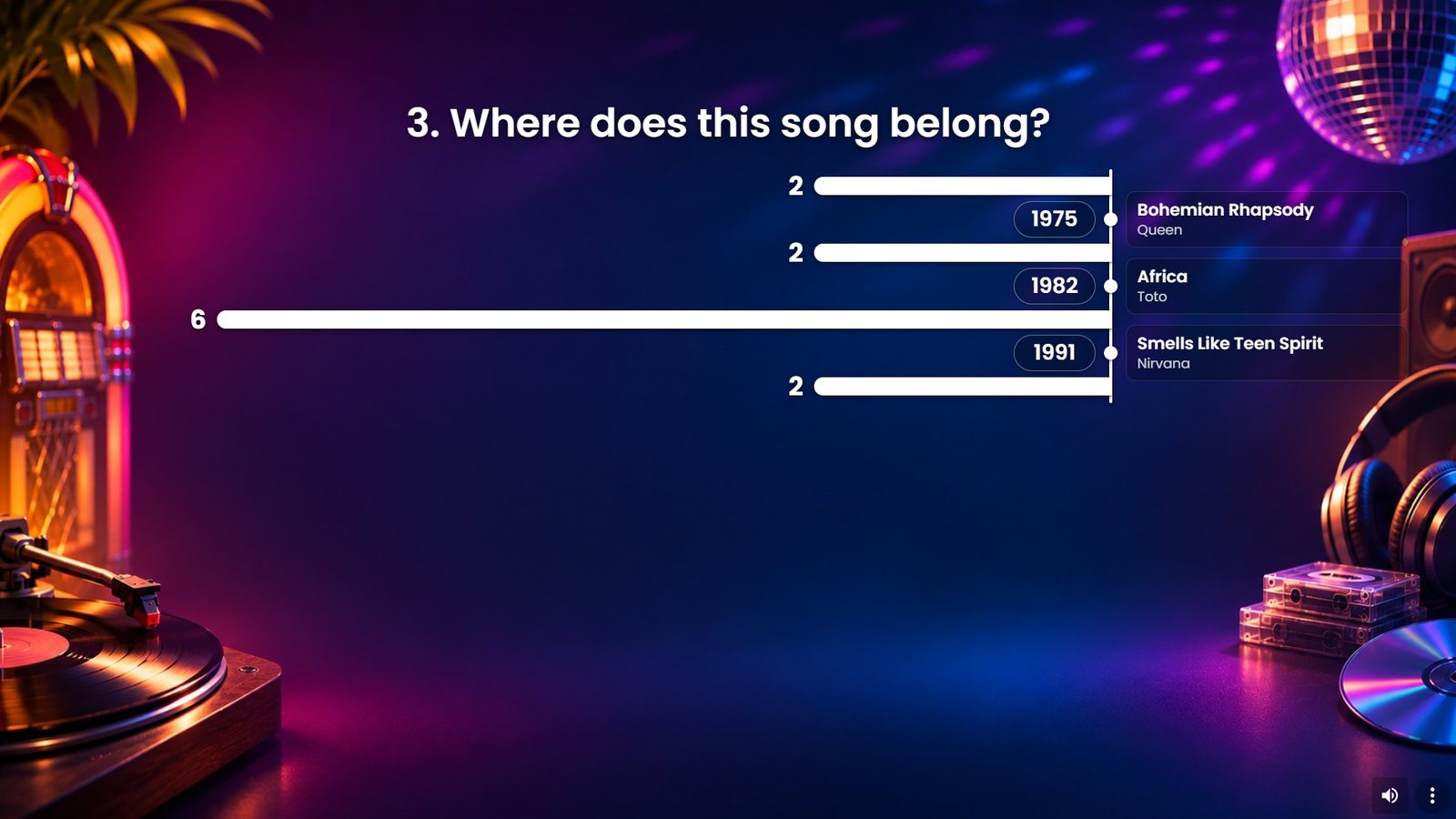
Once players have submitted their answers, the Quiz Display shows how the room voted.
Each selected position gets a bar showing how many players chose it. It's a great moment of suspense: did everyone agree, or are there wildly different opinions about when something happened?
3. Reveal the correct position
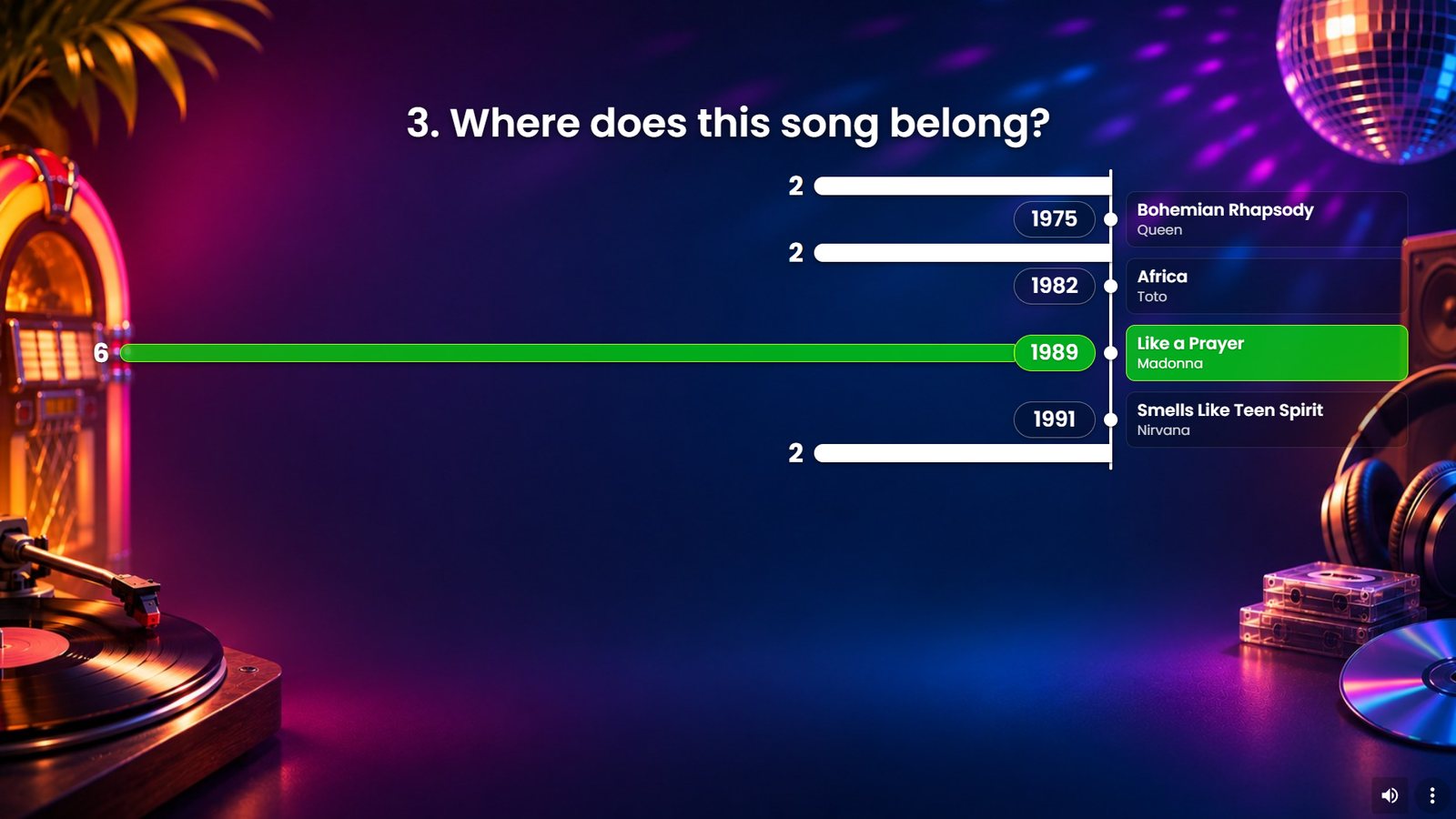
The quizmaster reveals the answer. The correct position turns green, everyone who picked it scores the points for that card, and the new card joins the timeline.
The year is now visible, and the timeline becomes the starting point for the next question.
The challenge gets harder as you go
This is what makes Timeline rounds interesting. Every new card adds another reference point. At the beginning, there are only a few possible positions. Later, the timeline becomes much more crowded.
A round can contain up to ten cards in total, including the starting card. By the final question, players need to remember not just the approximate year of an event, but also how it relates to everything that has already been placed.
And cards with the same year can be placed on either side of one another, so nobody needs to know the exact month or day.
Because the timeline gets harder to read with every card, you can give the later cards more points. Or keep it simple and give every card the same points. Each card has its own points, so the choice is yours.
Make your music quiz a Timeline challenge
Timeline rounds are particularly fun for music quizzes.
Play a song using YouTube, hide the video title, and let players work out when it was released. They can listen to the music, recognise the artist or try to remember when the song was popular.
When the answer is revealed, the music video can appear on the Quiz Display while the card takes its place on the timeline.
It's a music quiz and a chronological challenge in one, and the whole room gets to take part.
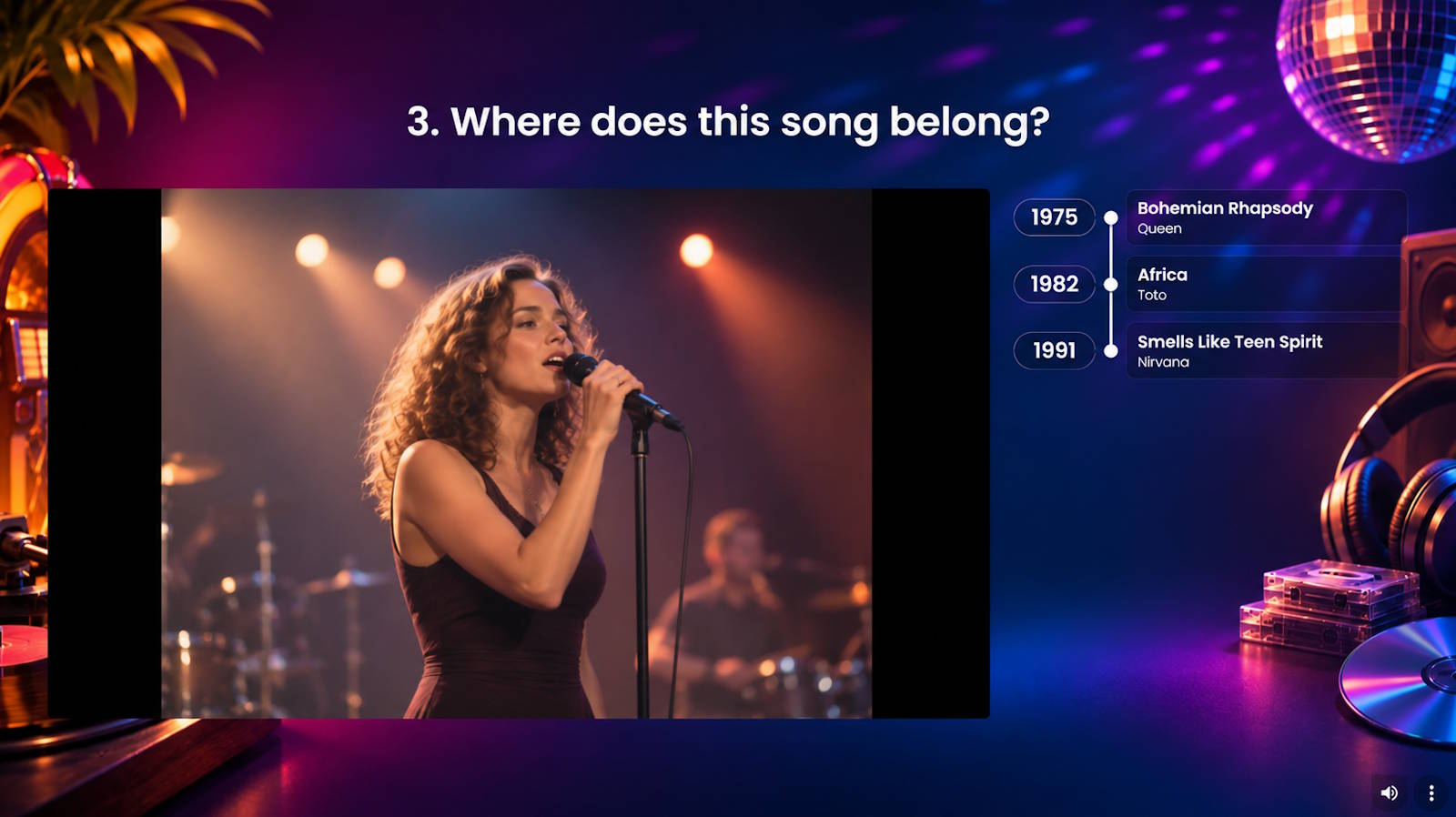
You can also use your own uploaded audio. If you prefer to play music through an external music service, you can do that too. For more ways to bring music into a quiz, see How to Add Music to Your Quiz: YouTube, MP3 and More.
More than just music
The timeline mechanic works with almost anything that has a date attached to it. Here are a few ideas for different types of quizzes.
Movies and television
Put films, television series or famous movie releases in chronological order. Was Jaws released before Star Wars? When did the first Harry Potter film appear?
Technology and inventions
Challenge players to place inventions, product launches and technological milestones. From the first personal computers to smartphones and AI breakthroughs, there's plenty to choose from.
History and general knowledge
Build a timeline of historical events, discoveries, sporting achievements or important moments in world history.
Your company or organisation
Timeline rounds can also be a fun way to look back at company milestones. When was a product launched? When did the company move to its current office? Which milestone came first?
Going further back: years before Christ
Not every interesting event happened in the last few decades.
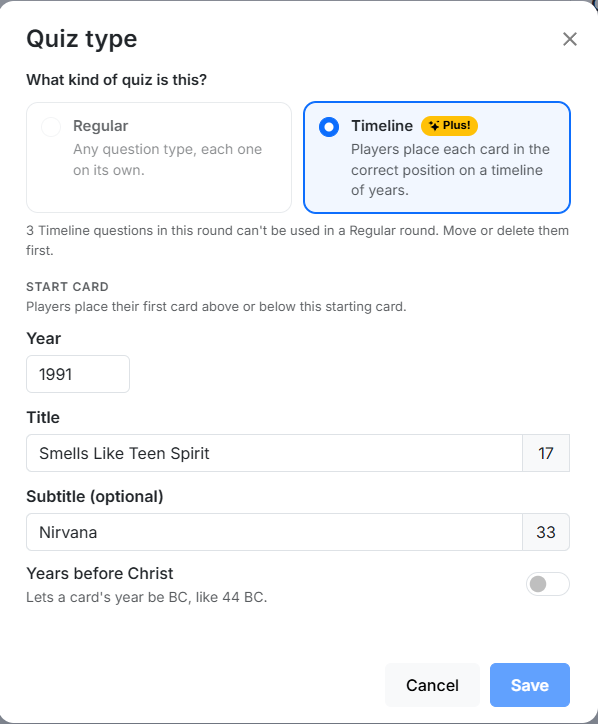
For history-themed quizzes, you can enable Years before Christ. This lets you use dates such as 44 BC or 753 BC, opening up timelines that stretch much further into the past.
You can mix historical dates with more recent events in the same round.
Flexible rounds, not just questions
A Timeline round can contain more than Timeline questions. You can also add polls, word clouds and slides.
That makes it possible to introduce a topic, collect opinions or add a little interaction between timeline challenges, without interrupting the flow of the round.
The timeline questions themselves are revealed one by one, so every new card gets its own moment.
And if you spot a mistake during the quiz, you can use Change year on the Quiz Remote to correct a card's year. The timeline is updated without changing the points players have already earned.
How to create a Timeline round
Setting one up is straightforward:
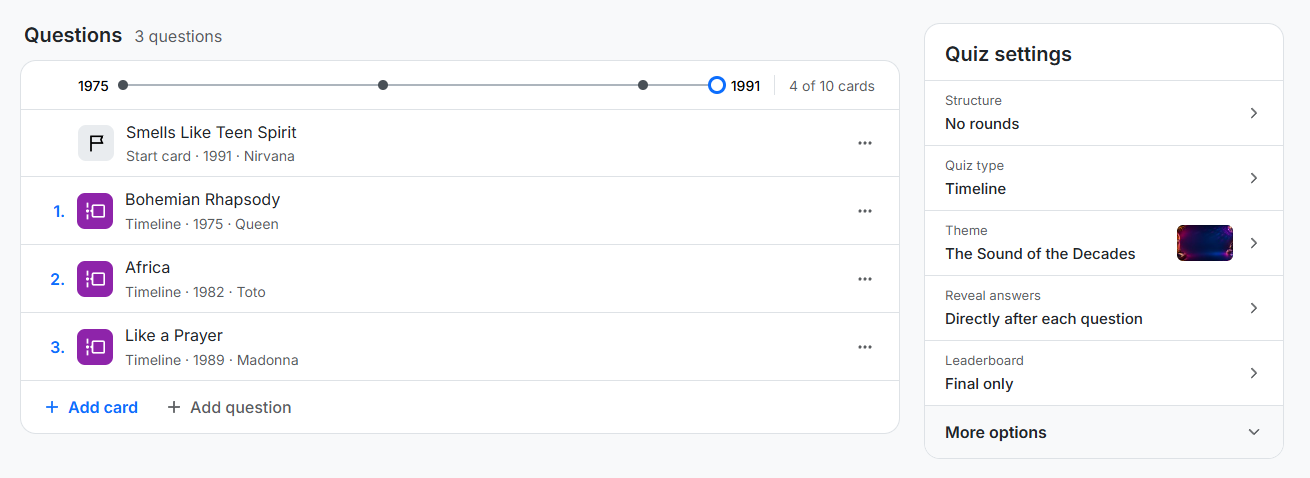
- Edit an existing round, or create a new one.
- Set the round type to Timeline.
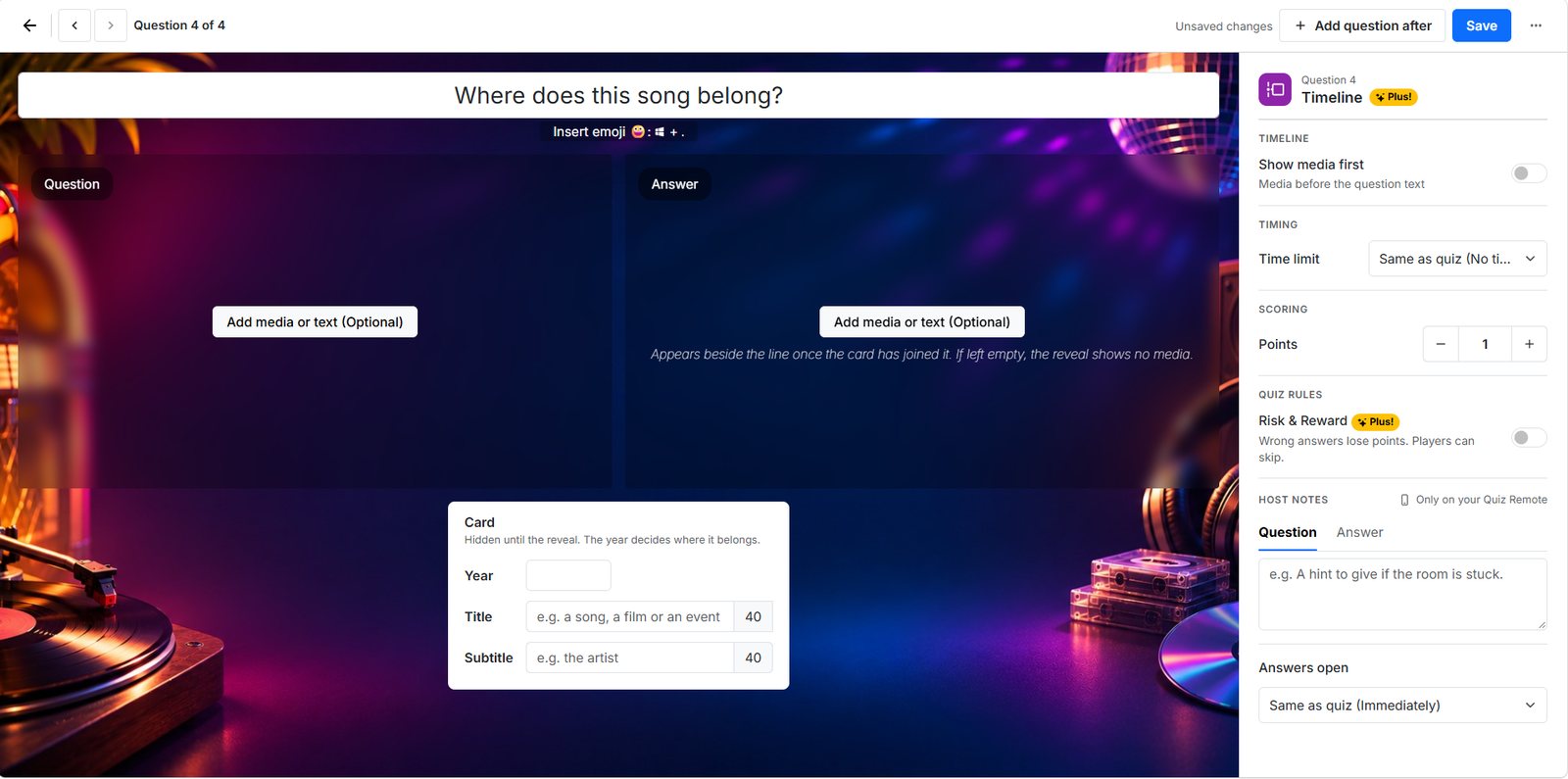
- Add a starting card with its year, title and optional subtitle.
- Use Add card to add your timeline questions.
- Add media to your questions if you want to use songs, videos or images.
You can add up to nine question cards alongside the starting card.
If your quiz doesn't use rounds, you can also choose Timeline as the Quiz type in the quiz settings.
Try Timeline rounds in QuizLinq
Timeline rounds work particularly well for music and general knowledge, but the possibilities are much broader. Everyone plays at the same time, and the timeline grows with every answer.
Timeline rounds are a QuizLinq Plus feature, and you can try them for free in a test run. Build a round, add a few virtual players, and see how the timeline fills up before you use it in your own quiz.
Know Hitster? Timeline rounds use a familiar chronological-order game mechanic. Hitster is a trademark of its respective owner. QuizLinq is independent and is not affiliated with, endorsed by or associated with Hitster.